文章目录
表达式
| 表达式 | 描述 |
|---|---|
| abs(x) | 取x的绝对值并返回。 |
| acos(x) | 求出x的反余弦值。 |
| asin(x) | 求出x的反正弦值。 |
| atan(x) | 算出x的反正切值。 |
| between(x, min, max) | 判断min<=x<=max是否成立,成立返回1,否则返回0. |
| ceil(expr) | 取比 expr 大的整数中最接近的那一个,比如 "ceil(1.5)" 的结果为 "2.0"。 |
| clip(x, min, max) | Gives back the value of x after it has been clipped to the min–max range. |
| cos(x) | 求出 x 的余弦值。 |
| cosh(x) | 算出 x 的双余弦。 |
| eq(x, y) | 当 x==y 时结果为 1,不相等则给出 0 otherwise。 |
| exp(x) | 求以 e 为底的 x 的指数,也就是算出欧拉数(Euler’s number)的 x 次方 |
| floor(expr) | 取不超过 expr 的最大整数,比如 “floor(-1.5)” 得到的是 “-2.0”。 |
| gauss(x) | 求出 x 对应的高斯(Gauss)函数值,其算式为 (-xx/2) / sqrt(2PI)。 |
| gcd(x, y) | 给出 x 与 y 的最大公约数;当 x、y 都是 0,或其中任一数小于 0 时,结果没有定义。 |
| gt(x, y) | 返回判断x>y的结果,符合则为1,否则为0 |
| gte(x, y) | 返回判断x>=y的结果,符合则为1,否则为0 |
| hypot(x, y) | 算出长是x、宽是y时的斜边长度 |
| if(x, y) | 对x值做判断:只要x值不为0就返回y,x值为0时返回0 |
| if(x, y, z) | 先看x值,为真(非0)时返回y,反之返回z。 |
| ifnot(x, y) | 判断x的取值,若x为0则给出y,不为0则给出0 |
| ifnot(x, y, z) | 检查x值:x为0的情况下返回y,其余情况返回z。 |
| isinf(x) | x值若属于正无穷或负无穷,返回1.0,否则返回0.0 |
| isnan(x) | x为NAN时结果取1.0,非NAN则取0.0 |
| ld(var) | 把事先通过st(var, expr)存好的内部变量var的值读取出来 |
| log(x) | 求x的自然对数 |
| lt(x, y) | 返回x<y判断式值,符合为1,否则为0 |
| lte(x, y) | 返回x<=y判断式值,符合为1,否则为0 |
| max(x, y) | 从x与y当中取较大的那个值返回 |
| min(x, y) | 取x与y当中较小的那个值返回 |
| mod(x, y) | 计算x%y |
| not(expr) | expr==0时结果为1,其余情况结果为0 |
| pow(x, y) | 求"(x)^(y)"的值。 |
| print(t) | 打印日志 |
| print(t, l) | 按日志层次l输出t;若l未定义,就使用当前的默认日志层次,并把打印内容返回。 |
| random(x) | 给出一个落在0.0-1.0之间的随机数,其中x用作随机数种子。 |
| root(expr, max) | 把 0 到 max 之间的各个值依次取出来,作为 ld(x) 的输入代入表达式 expr 求值,一直算到 max 为止;换句话说,ld(x) 就是 expr 的参数,逐个取值参与运算。expr 必须满足连续函数这一条件,否则算出的结果无法确定。由于 ld(0) 同样会作为参数参与 expr 的运算,同一个表达式可能因此被计算多次。 |
| sin(x) | 求出 x 的正弦值 |
| sinh(x) | 求出 x 的双曲正弦值 |
| sqrt(expr) | 求出 x 的平方根,等同于计算 (expr)^.5。 |
| squish(x) | 算出 1/(1 + exp(4*x)) 的结果。 |
| st(var, expr) | 在内部为 var 这个变量存下一份 expr 的值,方便后续调用,var 的取值范围是 0-9。要注意的是,这些变量目前还不能在表达式之间共享。 |
| tan(x) | 求x的正切值。 |
| tanh(x) | 用于求x的双曲正切。 |
| taylor(expr, x) taylor(expr, x, id) | 求出泰勒(Taylor)级数的数值。需要给出表达式(ld(id))在0阶时的导数函数,也就是taylor(expr,x)=taylor(expr,x,0);一旦级数不收敛,所得结果就无法确定。ld(id)代表的是expr的导数阶,也就是说,对于同一个表达式,只要输入不同的值,就能借助ld(id)反复计算多次。此处我们假定并非预设的0阶。要注意:当你用某个Y值取代默认的0时,实际相当于在算 taylor(expr, x-y) |
| time(0) | 获取当前的时间,以秒为单位 |
| trunc(expr) | 取expr最接近的整数(方向朝0),例如"trunc(-1.5)" 得到的结果是 “-1.0”。 |
| while(cond, expr) | 只要cond不为0,就不断循环执行expr,直到cond变成0为止 |
The following constants are available:
| 参数 | 描述 |
|---|---|
| PI | area of the unit disc, approximately 3.14 |
| E | exp(1)(即欧拉数),约等于 2.718 |
| PHI | 黄金比例 (1+sqrt(5))/2,约等于 1.618 |
滤镜效果
zoompan
实现放大与平移的画面效果
| 参数 | 说明 |
|---|---|
| zoom,缩写为 z | 该表达式用于设定缩放,取值范围 1-10,未指定时取 1。 This expression controls zoom. Its range is 1-10, and it defaults to 1. |
| x / y | x 与 y 的表达式由这里设定,不填时默认为 0。 The expressions for x and y are set here, defaulting to 0. |
| d | 持续时间表达式以帧数为单位来设定,它决定的是单张输入图像的效果会延续多少帧 Set the duration expression in number of frames. This sets for how many number of frames effect will last for single input image. 假设帧率取默认的25,那么把它设成125就相当于5秒钟 |
| s | 用来指定输出图像的尺寸,不填时取默认值hd720,Set the output image size, default is ’hd720’. |
| fps | 用来指定输出的帧率,默认值为25帧。Set the output frame rate, default is ’25’. |
| in_w, iw | 输入画面的宽度Input width. |
| in_h, ih | 输入画面的高度Input height. |
| out_w, ow | 输出画面的宽度Output width. |
| out_h, oh | 输出画面的高度Output height. |
| in | 输入帧的计数。Input frame count. |
| on | 输出帧的计数。Output frame count. |
| in_time, it | 输入时间戳,单位是秒。若输入时间戳无法获知,该值即为NAN。 The input timestamp expressed inseconds. It’s NAN if the input timestamp is unknown.; |
| out_time, time, ot | 输出时间戳,以秒为单位。 The output timestamp expressed in seconds. |
| x / y | 针对当前输入帧,由“x”与“y”表达式最终算出的“x”和“y”位置。 Last calculated ’x’ and ’y’ position from ’x’ and ’y’ expression for current input frame. |
| px / py | 上一个输入帧所对应的最后一个输出帧的“x”和“y”;如果还不存在这样的帧(也就是第一个输入帧),则取0。 The ’x’ and ’y’ values from the final output frame of the preceding input frame; if no such frame exists yet (the first input frame), these values are 0. |
| zoom | 由当前输入帧的“z”表达式在上一次运算中得到的缩放值。 The zoom value most recently computed by the ’z’ expression for the current input frame. |
| pzoom | 上一输入帧的末尾输出帧的缩放值,取自上一次计算。 The zoom most recently calculated for the final output frame belonging to the preceding input frame. |
| duration | 当前输入帧对应的输出帧数量,由每个输入帧的“d”表达式算出。 How many output frames the current input frame produces. This is computed by the ’d’ expression for every input frame. |
| pduration | 上一个输入帧所生成的输出帧数量 count of output frames generated for the preceding input frame |
| a | 有理数形式:输入宽度除以输入高度 Rational number — input width divided by input height |
| sar | 样本纵横比 sample's aspect ratio |
| dar | 显示纵横比 aspect ratio used for display |
Zoom in as much as 1.5x while panning simultaneously toward a point close to the picture center (效果卡顿,不优秀)
将画面放大至1.5倍,并同步平移到接近图片中心的某一位置
ffmpeg \
-i photo.jpg \
-vf "zoompan=z='min(zoom+0.0015,1.5)':d=125:x='if(gte(zoom,1.5),x,x+1/a)':y='if(gte(zoom,1.5),y,y+1)'" \
-y output.mp41234
Zoom in by up to 1.5x while the pan stays fixed on the picture center:(抖动,不优秀)
ffmpeg \
-i photo.jpg \
-vf "zoompan=z='min(zoom+0.0015,1.5)':d=125:x='iw/2-(iw/zoom/2)':y='ih/2-(ih/zoom/2)'" \
-y output.mp41234
Identical to the previous one, only with no pause:(废话,d=1,当然不暂停,也许我没看懂,帧数多了依然抖动)
ffmpeg \
-i photo.jpg \
-vf "zoompan=z='min(max(zoom,pzoom)+0.0015,1.5)':d=1:x='iw/2-(iw/zoom/2)':y='ih/2-(ih/zoom/2)'" \
-y output.mp41234
For just the opening second of the input video, zoom 2x toward the picture center:
ffmpeg \
-i photo.jpg \
-vf "zoompan=z='if(between(in_time,0,1),2,1)':d=1:x='iw/2-(iw/zoom/2)':y='ih/2-(ih/zoom/2)'" \
-y output.mp41234
中心视角的距离从远到近
ffmpeg \
-i photo.jpg \
-vf "zoompan=z='min(zoom+0.0015,1.5)':d=125:" \
-y output.mp41234

中心视角的距离由近变远
ffmpeg \
-i photo.jpg \
-vf "zoompan='if(lte(zoom,1.0),1.5,max(1.001,zoom-0.0015))':d=125:" \
-y output.mp41234

水平方向的视距自左向右
ffmpeg \
-i photo.jpg \
-vf "zoompan='1.5':x='if(lte(on,-1),(iw-iw/zoom)/2,x+3)':y='if(lte(on,1),(ih-ih/zoom)/2,y)':d=125" \
-y output.mp41234

水平方向的视距自右向左
ffmpeg \
-i photo.jpg \
-vf "zoompan='1.5':x='if(lte(on,1),(iw/zoom)/2,x-3)':y='if(lte(on,1),(ih-ih/zoom)/2,y)':d=125" \
-y output.mp41234

垂直方向的视距,由上至下
ffmpeg \
-i photo.jpg \
-vf "zoompan='1.5':x='if(lte(on,1),(iw-iw/zoom)/2,x)':y='if(lte(on,-1),(ih-ih/zoom)/2,y+2)':d=125" \
-y output.mp41234

垂直方向的视距,由下往上
ffmpeg \
-i photo.jpg \
-vf "zoompan='1.5':x='if(lte(on,1),(iw-iw/zoom)/2,x)':y='if(lte(on,1),(ih/zoom)/2,y-2)':d=125" \
-y output.mp41234

rotate
以弧度为单位指定任意角度,对视频做任意角度的旋转。
| 参数 | 描述 |
|---|---|
| angle, a | 用弧度制写的正值表达式会让视频顺时针转动,负值则对应逆时针转动,默认值为0(补充:1°=π/180,360°=2π) |
| out_w, ow | Set the output width expression, default value is “iw”. This expression is evaluated just once during configuration. |
| out_h, oh | Set the output height expression, default value is “ih”. This expression is evaluated just once during configuration. |
| bilinear | Enable bilinear interpolation if set to 1, a value of 0 disables it. Default value is 1. |
| fillcolor, c | Set the color used to fill the output area not covered by the rotated image. For the general syntax of this option, check the (ffmpeg-utils)“Color” section in the ffmpeg-utils manual. If the special value “none” is selected then no background is printed (useful for example if the background is never shown).Default value is “black”. |
The expressions for the angle and the output size can contain the following constants and functions:
| 参数 | 描述 |
|---|---|
| n | sequential number of the input frame, starting from 0. It is always NAN before the first frame is filtered. |
| t | time in seconds of the input frame, it is set to 0 when the filter is configured. It is always NAN before the first frame is filtered. |
| hsub / vsub | 色度在水平、垂直方向上的子采样值。以像素格式“yuv422p”为例,hsub 为 2,vsub 为 1。 |
| in_w, iw / in_h, ih | the input video width and height |
| out_w, ow / out_h, oh | the output width and height, that is the size of the padded area as specified by the width and height expressions |
| rotw(a) / roth(a) | 输入视频被旋转 a 弧度之后,若想把它完整包住,所需的最小 width/height 是多少。 |
这些变量只有在计算 out_w 与 out_h 表达式时才能取用。
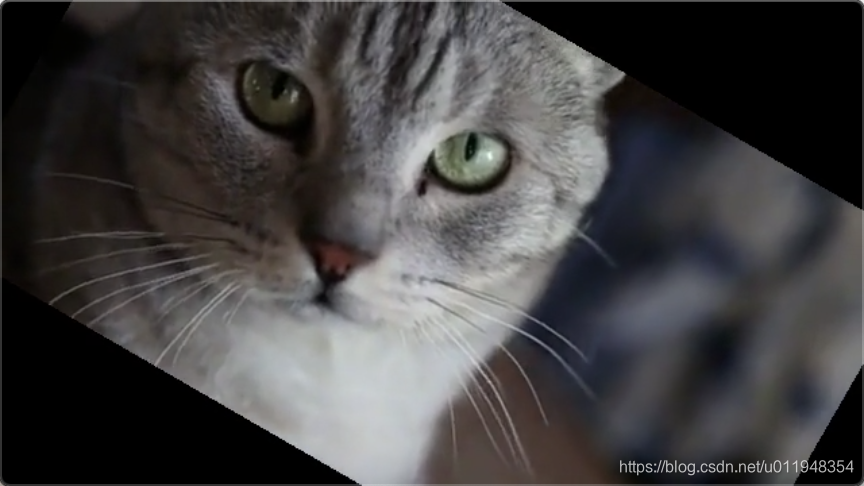
按顺时针方向旋转 PI/6 弧度
ffmpeg \
-i input.mp4 \
-vf "rotate=PI/6'" \
-y -t 5 output.mp41234
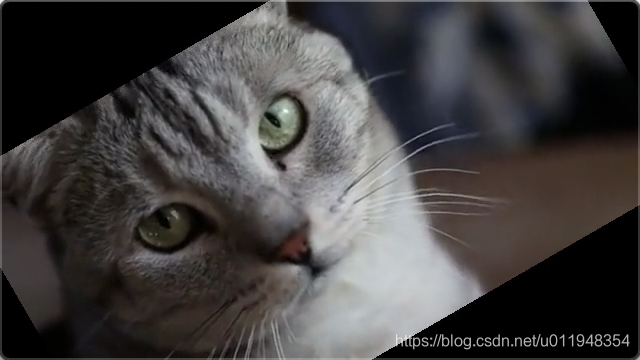
以逆时针方向转过 PI/6 弧度
ffmpeg \
-i input.mp4 \
-vf "rotate=-PI/6'" \
-y -t 5 output.mp41234
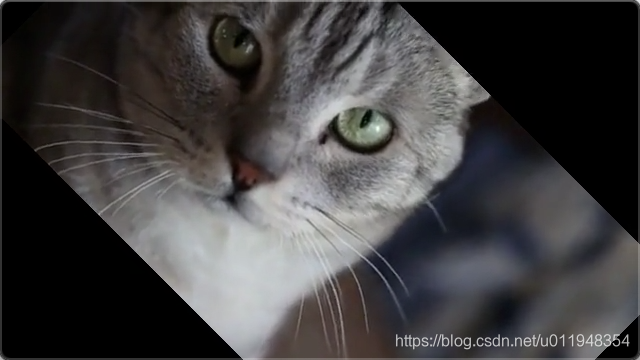
转到 45 度,方向为顺时针
ffmpeg \
-i input.mp4 \
-vf "rotate=45*PI/180" \
-y -t 5 output.mp41234
起始角度是 PI/3,之后按固定角度持续旋转
官网例子里的时段 T,此处替换成了视频总长度 3
ffmpeg \
-i input.mp4 \
-vf "rotate=PI/3+2*PI*t/3" \
-y -t 5 output.mp41234

让输入画面来回摆动,周期取 T 秒,振幅取 A 弧度
ffmpeg \
-i input.mp4 \
-vf "rotate=1*sin(2*PI/3*t)" \
-y -t 5 output.mp41234
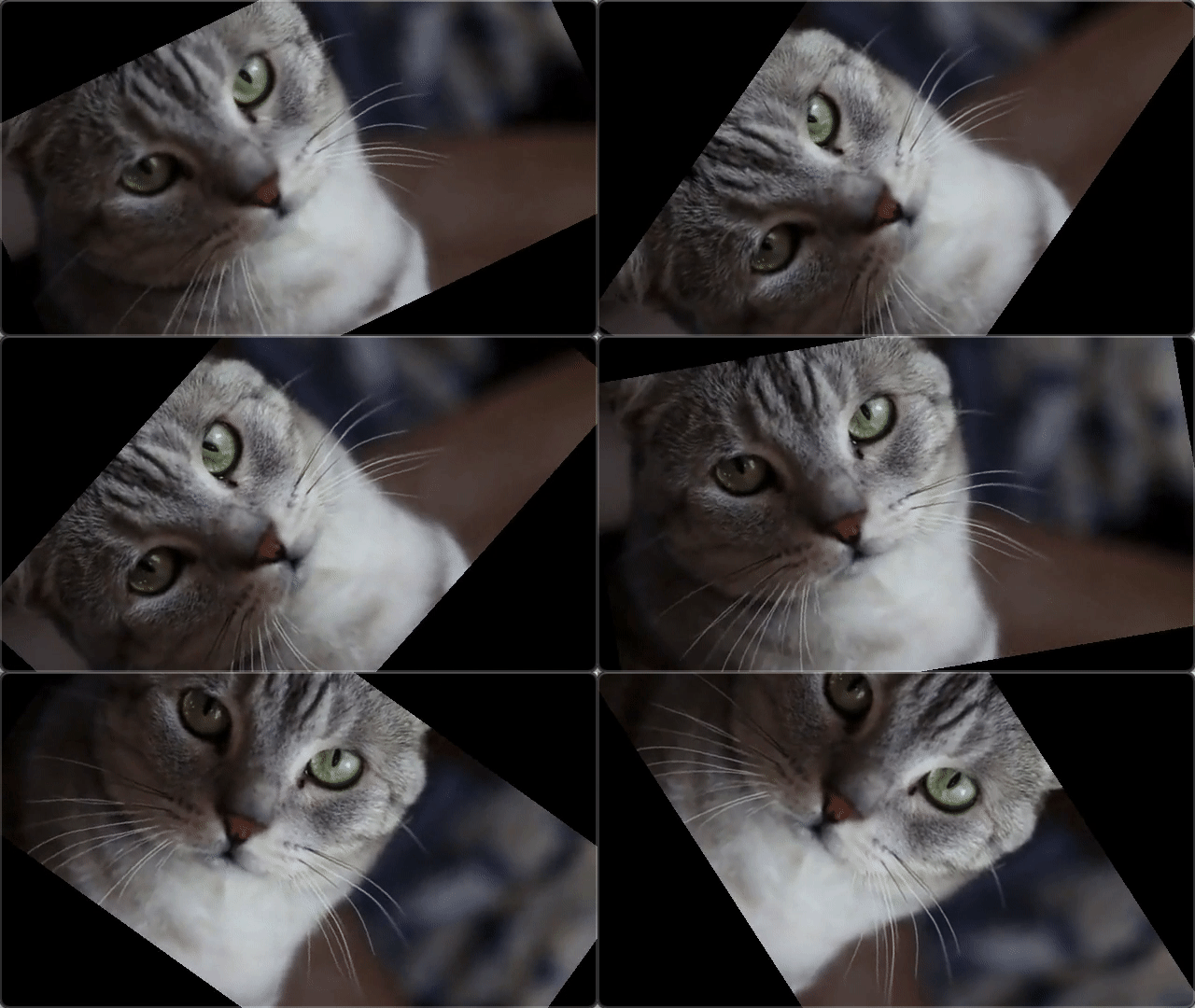
使输出画面能够完整呈现出来
ffmpeg \
-i input.mp4 \
-vf "rotate='2*PI*t:ow=hypot(iw,ih):oh=ow'" \
-y -t 5 output.mp41234
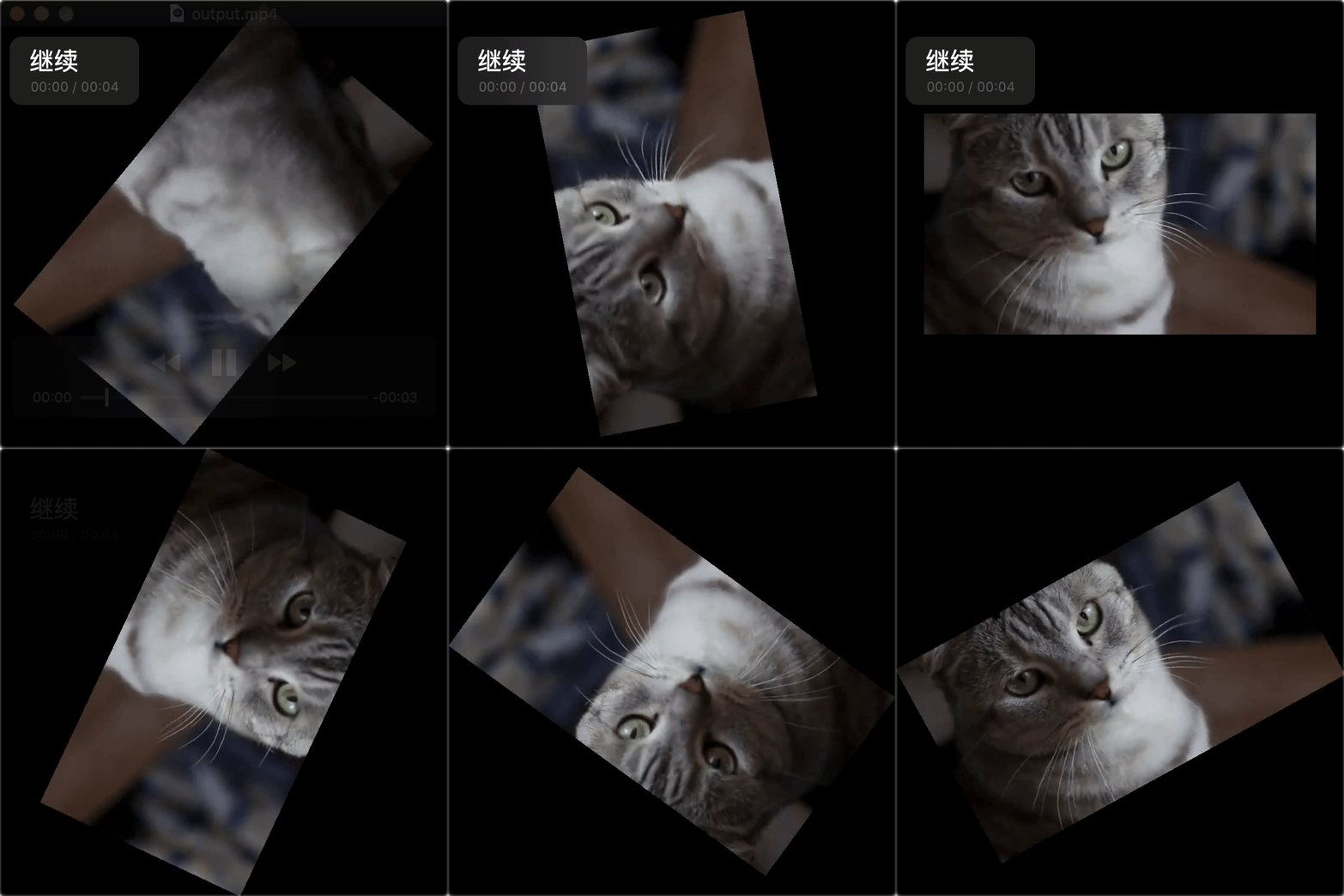
对画面做旋转并把输出尺寸缩小,背景就不会出现在画面里
官网那个例子我没跑通,报的是宽度不能被 2 整除,估计是素材不同造成的,其实也无所谓,理解思路就行:目的是取旋转所需的最小宽度,让旋转过程中不露出背景,也就是 c = none
rotate=2*PI*t:ow='min(iw,ih)/sqrt(2)':oh=ow:c=none
ffmpeg \
-i input.mp4 \
-vf "rotate=2*PI*t:ow='min(iw,ih)':oh=ow:c=none" \
-y -t 5 output.mp41234
错误:
Q:width not divisible by 2(255x255)
A: 宽度不是 2 的倍数
参考:FFmpegFFmpeg 把图片合成视频,实现放大与平移效果